What is the Power Automate platform?
The Power Automate platform is Microsoft’s cloud-native workflow automation solution that enables organizations to streamline business processes, integrate systems, and eliminate repetitive manual tasks at enterprise scale.
Organizations adopting the platform quickly realize significant Power Automate benefits, including improved productivity, faster decision-making, and scalable automation across departments.
With AI-driven automation and enterprise integration capabilities, organizations can build a scalable automation framework that evolves alongside their business growth.
How fragmented systems and poor visibility limit business performance
Many organizations operate with disconnected systems and manual processes that slow down decision-making and introduce operational risk. These fragmented workflows create organizational silos that reduce operational visibility and limit the ability to respond quickly to changing market conditions.
The consequences extend beyond inefficiency. Organizations frequently face:

Operational delays caused by manual approvals and fragmented workflows

Missed revenue opportunities due to slow response times

Compliance exposure from inconsistent documentation and approval processes

Limited forecasting accuracy due to delayed or incomplete data

Increased IT workload managing disconnected systems

Without a unified automation platform, scaling operations becomes increasingly complex as the organization grows.
This is where the Power Automate platform becomes critical. By enabling secure workflow automation across systems, organizations can eliminate repetitive tasks, connect applications, and create intelligent processes that drive efficiency and visibility.
How Power Automate platform transforms business operations
Power Automate platform supports cross-system workflow orchestration, enabling businesses to unify workflows across platforms including ERP, CRM, document management systems, and collaboration tools.
When integrated with Microsoft Azure, the platform provides scalable cloud infrastructure capable of handling enterprise-level automation demands.
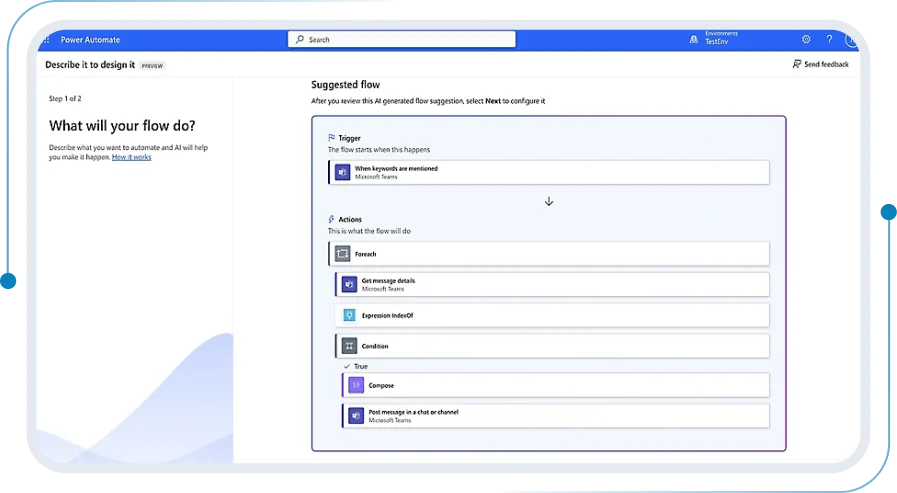
With Microsoft Copilot, organizations can use AI-assisted automation to generate workflows, automate document processing, and identify optimization opportunities across operational processes.
Combined with Microsoft Power BI, Power Automate captures workflow data and feeds it into enterprise dashboards, enabling real-time operational reporting and insights.
The result is a connected enterprise where automation enhances productivity while providing leadership teams with clear operational visibility and data-driven decision support, highlighting the broader Power Automate benefits across the organization.
Key capabilities and outcomes to expect with Power Automate
Workflow automation
Capabilities:
Power Automate enables organizations to design and deploy automated workflows that connect applications, services, and data sources. These workflows trigger actions based on events, schedules, or user inputs.
Outcomes:
- Reduced manual process workloads
- Faster operational turnaround times
- Increased workforce productivity
- Improved process consistency
Low-code development
Capabilities:
Business users and developers can build automation workflows through a low-code interface that simplifies process design without requiring advanced programming skills.
Outcomes:
- Faster automation deployment
- Reduced dependency on IT development resources
- Increased innovation from business teams
- Rapid experimentation and optimization
Data integration across systems
Capabilities:
Power Automate includes connectors for hundreds of enterprise applications, enabling seamless integration across systems such as CRM, ERP, cloud services, and productivity tools.
Outcomes:
- Unified data workflows across departments
- Reduced data duplication and entry errors
- Improved information consistency
- Streamlined cross-system operations
AI-powered process intelligence
Capabilities:
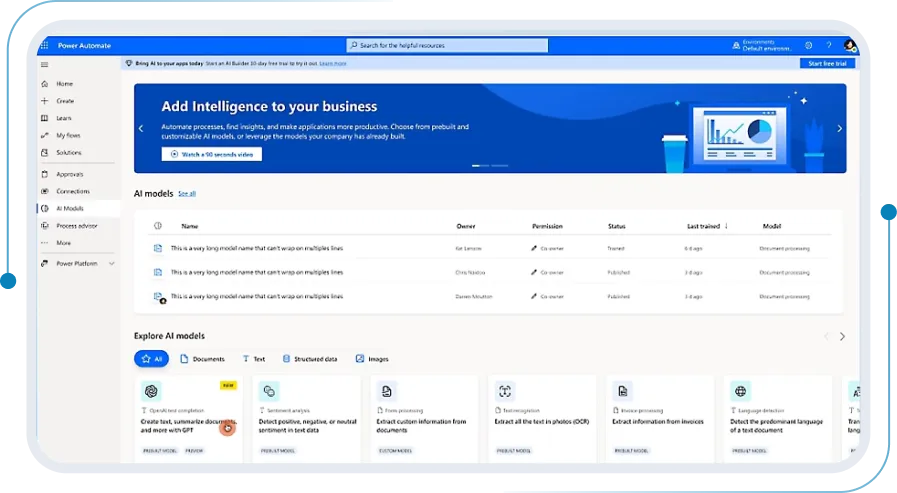
Using AI Builder and Microsoft Copilot, organizations can integrate machine learning models and AI-assisted automation into workflows, including document processing, sentiment analysis, and predictive insights.
Outcomes:
- Intelligent document processing
- Faster decision-making with AI insights
- Reduced manual review processes
- Improved accuracy in data extraction
Robotic process automation (RPA)
Capabilities:
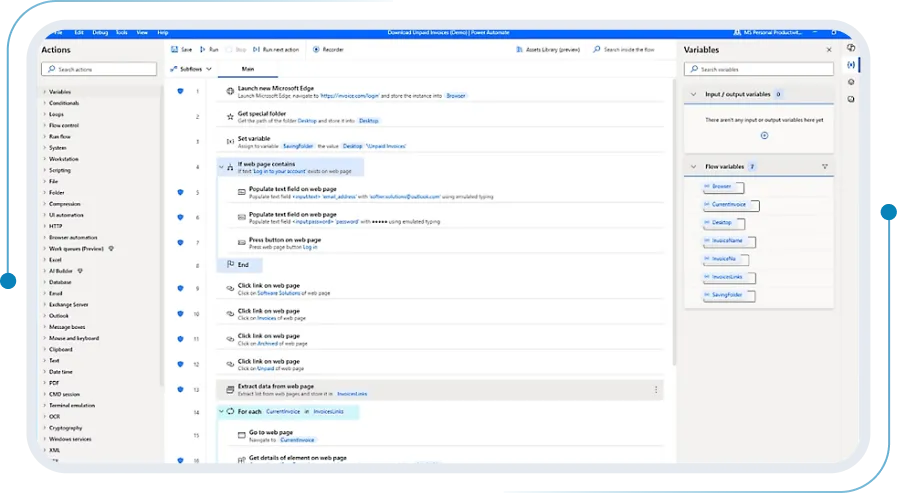
Power Automate provides both attended and unattended RPA, enabling automation of legacy systems and applications that do not offer modern APIs.
Outcomes:
- Automation of legacy processes
- Reduced operational costs
- Increased processing speed
- Extended automation across older systems
Governance and compliance
Capabilities:
Enterprise-grade governance tools allow IT teams to manage automation workflows with security controls, data loss prevention policies, and audit tracking.
Outcomes:
- Stronger compliance and governance oversight
- Secure automation deployment
- Reduced operational risk
- Enterprise-grade security controls
Modules or core components within Power Automate
Power Automate includes multiple components that enable organizations to design, deploy, and manage enterprise automation workflows.
Each component is purpose-built to address a specific layer of enterprise automation – from cloud-based workflow triggers and robotic process automation to AI-assisted document processing and governance controls.
Together, the modules form an automation architecture that scales with your organization’s complexity and growth.
Key modules and highlights:

Cloud flows
Automate workflows triggered by events, schedules, or actions across applications and services.

Desktop flows
Enable robotic process automation for legacy systems and desktop applications that require user interface interaction.

Business process flows
Guide users through structured processes with defined steps, ensuring compliance and consistency across operations.

AI Builder
Incorporate artificial intelligence models into workflows for document processing, object detection, and predictive insights.

Process mining
Analyze operational workflows to identify inefficiencies and automation opportunities using process intelligence.

Connector library
Provides hundreds of connectors for integrating enterprise applications, databases, and cloud services.

Approvals management
Streamline approval workflows across departments using automated routing and tracking.

Power platform integration
Connect with Power Apps and Power BI to build full digital solutions combining automation, analytics, and application development.

Together, these components enable organizations to build enterprise-grade automation architectures that support intelligent business operations.
Benefits of adopting Power Automate
Understanding the Power Automate benefits helps organizations evaluate how workflow automation improves operational efficiency, governance, and business agility.

Real-time business visibility
Automated workflows provide operational insights and process tracking across the organization.

Automation of manual processes
Routine tasks such as approvals, notifications, and data transfers are automated to reduce human effort.

Faster decision-making
Automated workflows and integrated reporting enable leadership teams to act quickly with reliable data.

Improved collaboration across teams
Automation connects departments and systems, reducing communication gaps and process delays.

Scalable cloud architecture
Scalable cloud architecture: Built on Microsoft’s cloud infrastructure, Power Automate scales easily with business growth.

Enhanced governance and compliance
Centralized policy management ensures workflows meet enterprise security and compliance standards.

Reduced operational costs
Automation minimizes manual labor and reduces process inefficiencies.

Accelerated digital transformation
Power Automate enables organizations to modernize operations without large-scale development efforts.

Licensing and cost overview
The cost of implementing Power Automate platform varies depending on several factors, including:
- Licensing model and subscription tiers
- Number of users and roles
- Required automation features
- Integration with existing enterprise systems
- Deployment scope and governance requirements
Organizations often begin with a solution assessment with an experienced Power Automate partner to identify automation opportunities, define governance frameworks, and determine the optimal licensing structure.
A structured evaluation ensures the automation strategy aligns with long-term digital transformation goals while maximizing return on investment.
Why partner with sa.global?
Organizations seeking a Power Automate partner benefit from sa.global’s deep Microsoft ecosystem expertise.

Recognized Microsoft partner with global delivery capability

Proven experience delivering enterprise Power Platform solutions

Industry-specific automation frameworks

Accelerated implementation methodologies

Outcome-driven digital transformation approach

24/7 managed services and ongoing optimization
With a strategic implementation partner, organizations can deploy automation securely, efficiently, and at enterprise scale.
FAQs
What is Power Automate platform used for?
The Power Automate platform is used to automate business workflows, integrate applications, and streamline processes across departments using low-code automation tools.
How does Power Automate improve business operations?
Power Automate reduces manual work, connects systems, automates approvals, and provides real-time operational visibility to improve productivity and efficiency.
Is Power Automate suitable for mid-sized organizations?
Yes. The platform is designed to scale from mid-sized businesses to global enterprises, allowing organizations to start small and expand automation initiatives over time.
How long does implementation take?
Implementation timelines vary depending on workflow complexity, integrations, and governance requirements. Many organizations begin seeing value within weeks.
Does Power Automate integrate with Microsoft tools?
Yes. Power Automate integrates with Microsoft technologies including Microsoft 365, Power BI, Azure, and the broader Power Platform ecosystem.
Why work with a Power Automate partner?
Working with a certified Power Automate partner helps organizations accelerate automation adoption, implement governance frameworks, and integrate workflows across enterprise systems while minimizing deployment risk.
What support is available after implementation?
Organizations typically receive managed services, automation optimization support, and governance management to ensure long-term success.
Is Power Automate secure?
Power Automate includes enterprise-grade security, compliance tools, and governance controls to ensure workflows meet organizational and regulatory standards.